Split one picture into a grid of PNG tiles
Turn one picture into separate pieces for a tiled layout, or divide a long visual into rows. Choose a grid, preview the pieces, and download them as PNG files or one ZIP. Image Splitter keeps the original resolution: every source pixel belongs to exactly one tile.
How to create tiles
- Select a PNG, JPEG or WebP file under Source images.
- Enter Columns and Rows, each from 1 to 8. The maximum is 64 tiles.
- Select Split image. The previews and filenames follow row order: left to right, then top to bottom.
- Download the PNGs you need, or select Create ZIP of all tiles and download
tiles.zip.
The original remains untouched. ZIP creation is a separate action: if it fails, the individual tile downloads remain available. Selecting another file or changing the grid clears previous output so a download cannot silently refer to an old layout.
Choose the grid for your layout
| Layout | Columns | Rows | Result |
|---|---|---|---|
| Three images side by side | 3 | 1 | Three vertical slices |
| Four equal sections | 2 | 2 | Four quadrants |
| A long visual in four sections | 1 | 4 | Four horizontal slices |
Example and tile sizes
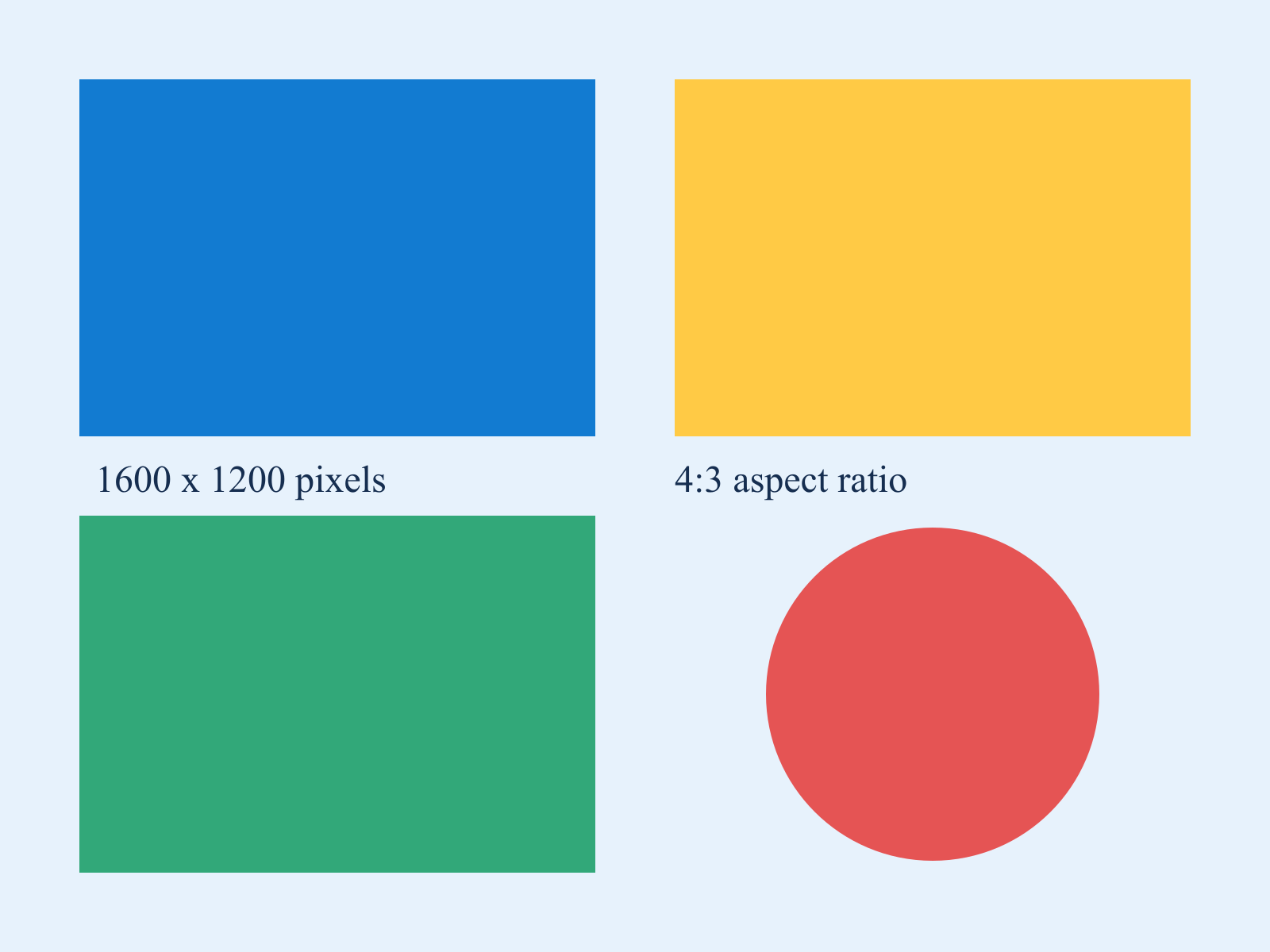
Select Load sample images (replaces files and settings) to load the synthetic chart and a 2×2 grid. It clears your previous result and resets controls. Then select Split image. Loading the sample requests that public image from this site; your selected files are not uploaded.
Use the 1600 × 1200 test chart with 2 columns and 2 rows. You get four 800 × 600 PNG images named tile-01.png through tile-04.png. The first is the upper-left quarter and the fourth is the lower-right quarter.
If the dimensions do not divide evenly, neighboring tiles may differ by one pixel. For example, splitting a width of 5 pixels into two columns gives widths of 2 and 3. Boundaries are rounded down consistently, so there is no overlap or missing strip. Use Image Resizer first if every tile must have exactly equal dimensions.
Limits and transparency
Choose one image no larger than 25 MiB or 24 million pixels. Each tile must contain at least one pixel in each direction. PNG output preserves transparency, though total download size can exceed the source size when the source was a compressed JPEG or WebP. A grid with more cells creates more previews and files and can take longer on a phone.
This tool does not detect objects, remove gutters, or find irregular panel boundaries automatically. It does not split animated files into animation frames. For a single custom rectangle rather than a full regular grid, use Image Cropper. For the reverse workflow, combine images using Image Collage.
Images are processed in your browser, without uploading the selected file. Close unused tabs or choose a smaller source if decoding or export fails because of memory limits.