Extract an exact rectangle
Image Cropper retains a rectangular source region and writes it as PNG. Coordinates use source pixels measured from the top-left corner. It is a numeric crop tool, without a draggable overlay.
Enter the crop rectangle
- Choose the image.
- Set Width and Height to the region's required size.
- Set Left offset and Top offset to its starting position.
- Press Crop image, inspect the preview and download.
Example: a centered square
For a 1600 × 1200 source, width 1200, height 1200, left 200 and top 0 retain a centered square. To keep an 800 × 600 region starting 100 pixels from the left and 50 from the top, enter 800, 600, 100, 50.
Try the coordinates on a known image
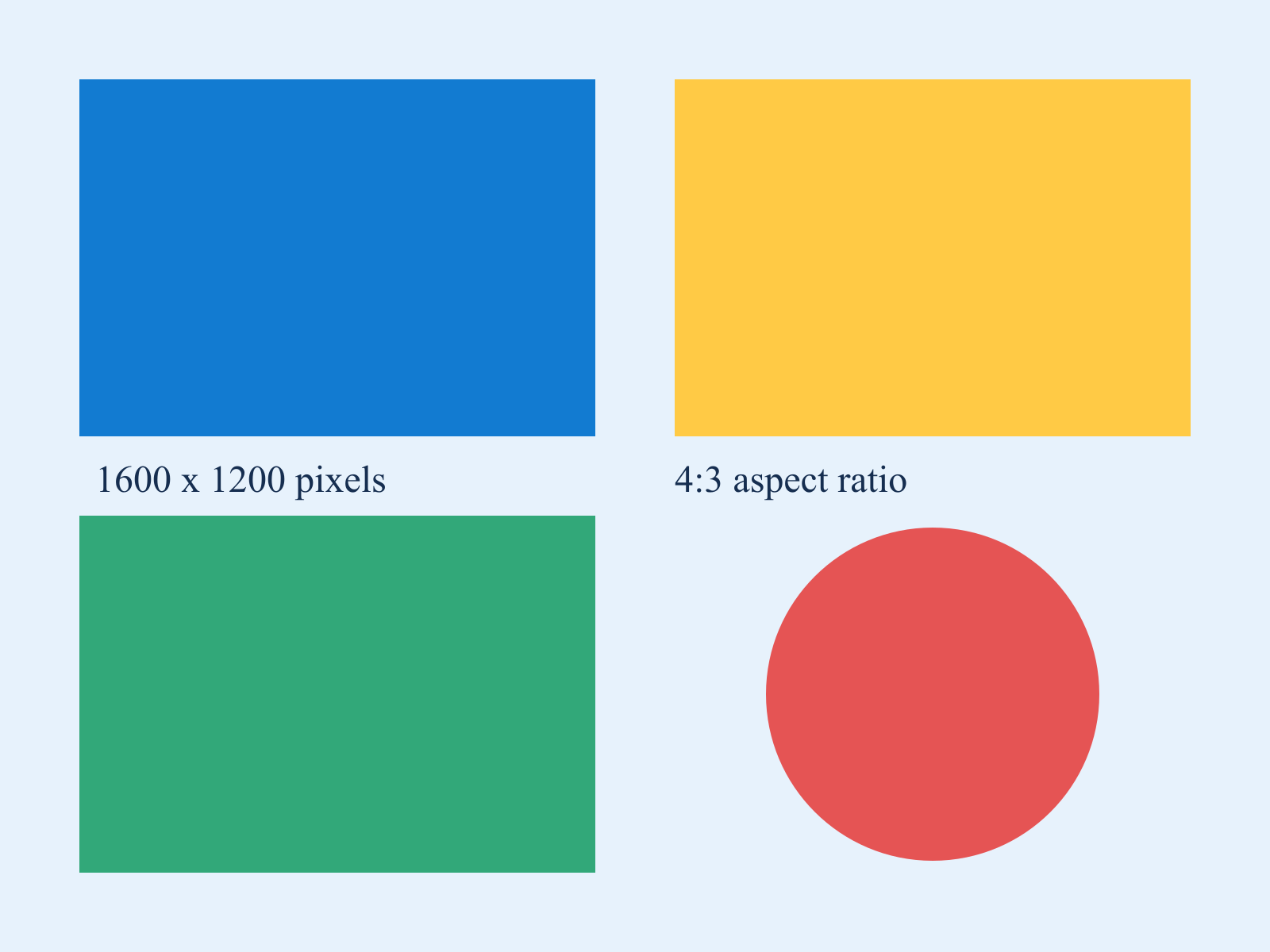
Download the 1600 × 1200 sample chart and select it. For the centered-square example, enter width 1200, height 1200, left 200 and top 0. Press Crop image. Expect a 1200 × 1200 PNG: 200 columns are removed from each side, and the red circle stays round because the retained pixels are not stretched.
For a smaller region, set width 650, height 450, left 100 and top 100. This rectangle matches the blue block in the sample, so the output should be a solid blue 650 × 450 image. The starting offsets are measured in the original image, even after an earlier crop; the downloaded result does not automatically become the next input.
To test the boundary check, keep width 650 and set left to 1000: the right edge would be 1650, beyond the source's 1600 pixels. Correct the offset and run again. Editing any coordinate clears the old result and error.
Why is the rectangle rejected?
Dimensions must be positive whole numbers, and offsets must be nonnegative whole numbers. left + width cannot exceed source width; top + height cannot exceed source height. Reduce an offset or dimension if the rectangle extends beyond an edge.
Does cropping resize the retained pixels?
No. Cropping changes the field of view rather than scaling it. Use Image Resizer afterward to change the retained region's dimensions.
Sources are limited to 25 MiB and 24 million decoded pixels. Output is a new single-frame PNG; original metadata and animation are not carried through. The original file is read locally and remains unchanged.