Resize a picture without changing its proportions
Image Resizer changes the pixel dimensions of a browser-readable image and saves a new PNG. Leave Preserve aspect ratio — calculate height from width enabled when you want the same composition at a different size. Use Resize Image to Dimensions when a form requires an exact width and height.
Process several images together
Select up to 20 files, or choose Load sample images to replace your selection with the two synthetic PNG examples. That sample action clears old results but does not process anything automatically. The same settings apply to every selected image. Processing runs one image at a time, and successful results appear as they finish.
Each result has its own download and preview. Output names include a sequence number, so two inputs with the same filename do not overwrite each other in the ZIP. Prepare ZIP download packages only the successful results; individual downloads remain available if packaging fails. A failed image is listed separately and does not discard the others.
Cancel stops the batch from accepting further results; an image already being decoded or encoded may finish internally before its resources are released. Completed results remain available. Changing settings or choosing another selection clears old results so you do not download images created with stale settings. Starting again processes the selected files from the beginning.
Inputs must be at most 25 MiB each and 100 MiB combined; decoded/output dimensions must stay within 24 million pixels per image. Saved outputs must fit 25 MiB each and 100 MiB combined. Reduce dimensions or quality if an output exceeds those limits. Processing one image at a time limits simultaneous canvas memory, but large batches still need enough browser memory for downloaded results.
With aspect ratio locked, the chosen width is shared but each image gets its own proportional height. Unlocking the ratio applies the same width and height to all images and may stretch images with different proportions.
Set the output size
- Choose one or more original images.
- Enter the required width in pixels. With aspect ratio locked, height is calculated from the source; the height box is not the resulting height preview.
- To set both dimensions yourself, clear the checkbox and enter a height. Different proportions stretch the picture.
- Press Resize images, inspect the output preview and dimensions report, then download the PNG.
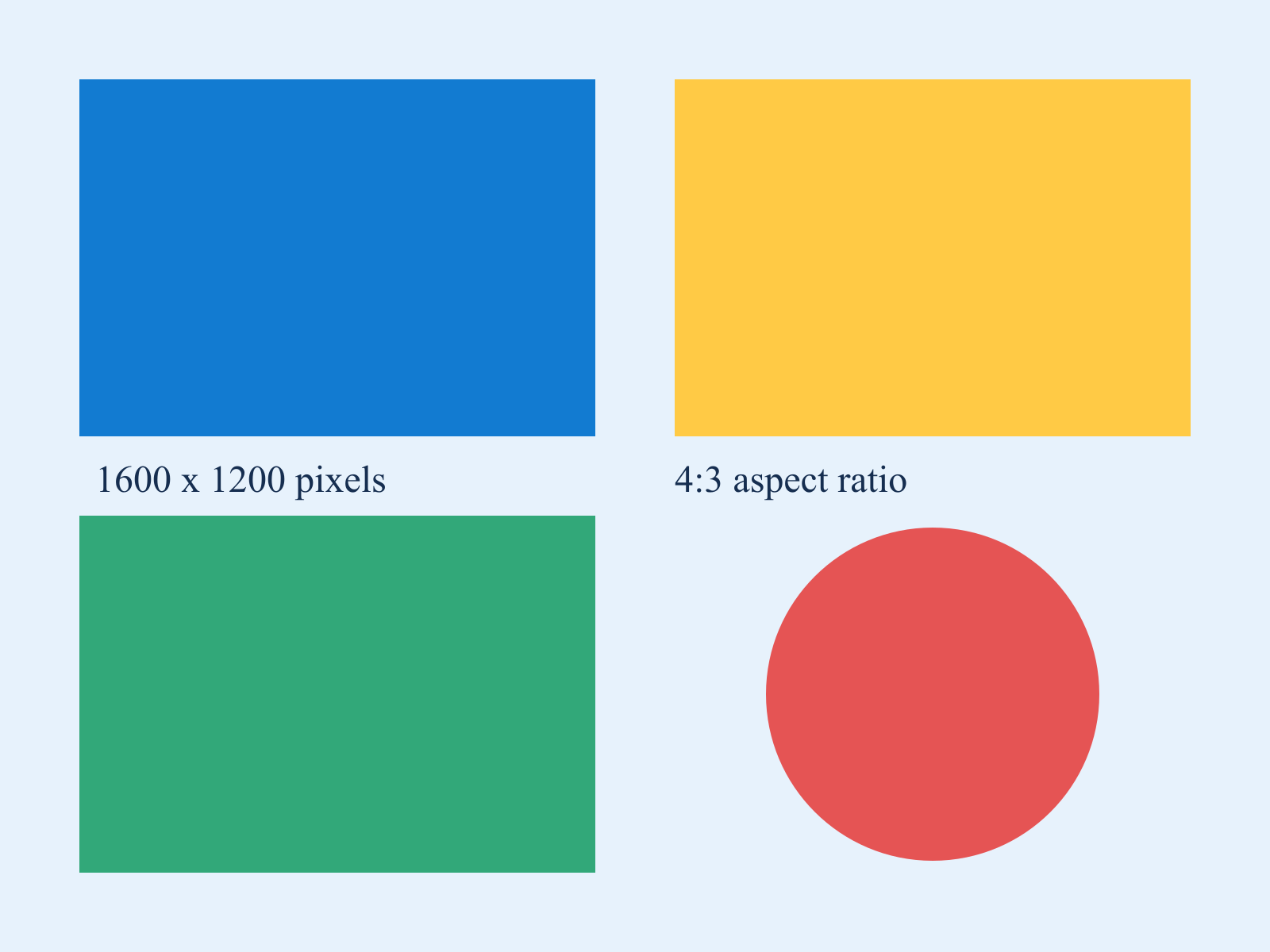
Example: a 1600 × 1200 photograph
Width 800 with the ratio locked produces 800 × 600. Unlocking the ratio and choosing 800 × 800 stretches the photograph into a square. For a square without stretching, use Image Cropper.
Try the 1600 × 1200 sample chart: download it, choose it in the tool and resize to width 800 with the ratio locked. The result should be 800 × 600, and the red circle should remain round. Repeat with the ratio unlocked and 800 × 800; the circle becomes taller because the source was stretched rather than cropped.
Which image tool should I use?
| Requirement | Tool |
|---|---|
| Make a picture narrower while retaining its composition | Stay here and keep the aspect-ratio checkbox enabled. |
| Supply an exact width and height | Use Resize Image to Dimensions; crop first if the required proportions differ. |
| Meet a maximum upload size in KB | Use Compress Image to KB after resizing. Pixel dimensions and encoded bytes are different limits. |
Why is the resized file larger?
Fewer pixels do not always mean fewer bytes. This tool writes PNG, so a smaller photograph can still occupy more space than its original JPEG. Use Image Compressor when the requirement concerns bytes rather than dimensions.
Limits and quality
The source must fit 25 MiB and 24 million decoded pixels; output is also capped at 24 million pixels. Enlarging a small source cannot restore missing detail. The browser re-encodes one rendered frame; animation and original metadata are not preserved. Processing is local and the original is not overwritten.